Summary of the full study: Recap and spoiler-safety features in 30 reading apps (November 2026). Checked 4 November 2026.1
What did the study look at?
We read the App Store and Google Play listings, help pages and announcements of 30 reading, listening, tracking and journal apps, and recorded 14 fields for each: how the app finds your place, whether it recaps the story up to that place, whether it builds a cast list, whether you can ask questions, how it handles spoilers, whether you can export your data, and more. Every cell carries its source and the date we read it. The chart above counts the apps whose own materials describe each feature.
Two kinds of memory help
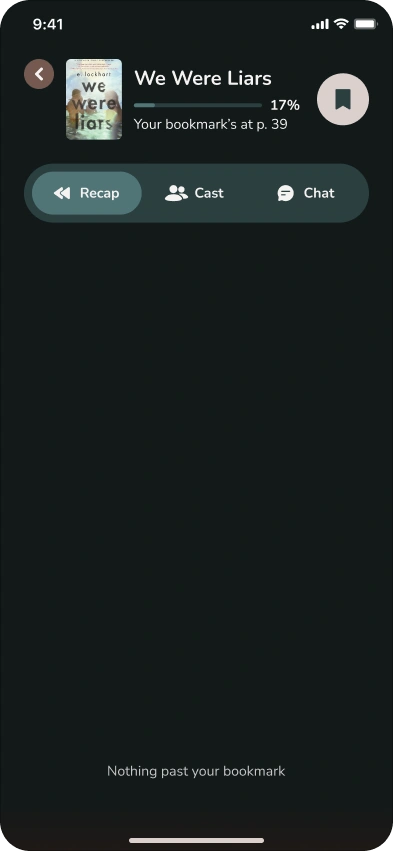
Recaps made for you. These rebuild the story so far when you return to a book. Four apps describe one, and they differ by format: Kindle's covers Kindle ebooks, Google's covers Play ebooks, Spotify's covers Spotify audiobooks, and Magic Bookmark's covers print, ebook and audiobook copies of supported titles on iPhone.2, 3, 4, 5 Two apps also generate a cast list, useful when names blur together: Magic Bookmark, whose list is built only from what you have read, and Kindle X-Ray.6
Memory aids you make. These keep your own words and highlights:
- Basmo turns "your notes on a book into a 2-minute listen" and offers a "Reading check" with "quick questions made only from your own notes".7
- Bookmory lets you tag notes as book content, summary, thought or question, and exports them as text, Markdown or Excel.8
- Literal and Readwise Books let you capture highlights from a printed page with your camera.
- Readwise Reader sends annotations to Readwise, which exports to tools such as Obsidian.
- Bookly keeps a manual character log.
Getting your notes out
Ten of the 30 apps document an export or sync out, including Goodreads (CSV), Bookmory (text, Markdown, Excel), Book Tracker (PDF, CSV), BookBuddy (CSV, PDF, HTML) and the Readwise apps.9 None of the recap companions in the study, Magic Bookmark included, describes an export. If you keep a commonplace book or a notes app, check the export before you put years of notes into an app.
What this means for remembering
A recap made for you and a note made by you do different jobs. The recap rebuilds the story when you have lost it; the note is an act of recall that helps you keep it. Memory research favors trying to recall before you look, and even a failed attempt makes the answer easier to learn when you then see it.10, 11 So a recap works best as the second step.
A simple routine using the findings
- When you stop, record the page in any tracker, or let your reading app hold it.
- Write one line about what just happened, in your own words.
- When you return after a break, read your line first, then use a place-limited recap if your format has one.
- Every few books, export your notes to wherever you keep them.
What the study did not test
We did not measure whether any recap or note tool improves memory. This is a review of what apps publish about themselves, checked on one day; features and coverage change. The routine above is a suggestion based on general memory research, not a finding of the study. The full dataset, methodology and limitations are on the canonical study page.