What is a recap, for a reader?
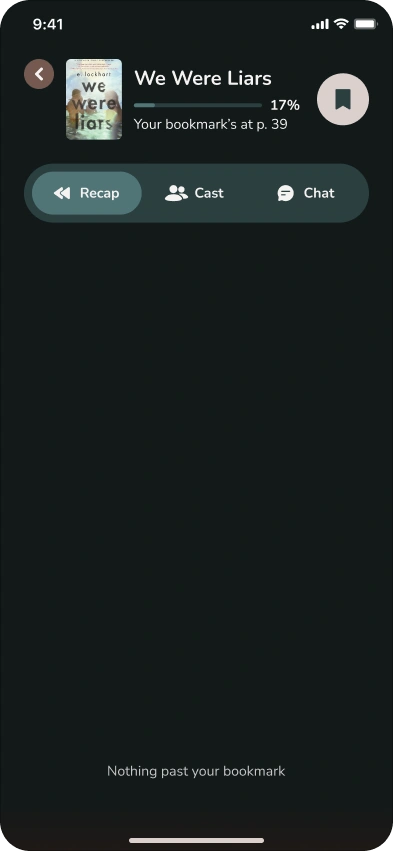
A recap is a short account of what has happened in a book so far. It might be a friend's summary, a fan wiki, your own notes, or a feature in a reading app. In the last two years several large services have added recaps that stop at your place: Kindle's Story So Far, Google Play Books' "Catch me up" and Spotify's audiobook Recaps, alongside smaller apps such as Magic Bookmark.1, 2, 3 In our survey of 30 reading apps, four described a recap limited to what you have already read or heard.4
The question for memory is not whether these are useful. They clearly are, if you have lost the thread. It is whether reading one helps you remember the book, or simply stands in for remembering it.
Is reading a recap like rereading?
Mostly, yes. Reading a recap is passive: you take in a summary that someone or something else produced. Research on rereading finds that a second read feels productive but adds little to long-term memory compared with other uses of the same time.5 In a well-known experiment, students who restudied a passage did better on a test five minutes later, but students who instead tried to recall it did better a week later.6 A recap read in place of recall is likely to behave like the restudy group: helpful in the moment, thin a week on.
What does research say about trying first?
The strongest finding in this area is that retrieving information, pulling it back out of memory, strengthens it more than reviewing it does.6, 7 A related finding matters for recaps: even a failed attempt helps. In a series of experiments, people who tried and failed to answer a question before being shown the answer learned it better than people who spent the same time studying the question and answer together.8
Put the two together and the order is clear. If you try to recall where the story stands and then read a recap, the recap becomes feedback on your attempt. The parts you got wrong or could not remember stand out, and those are the parts you are now most likely to keep.
Do recaps replace remembering?
They can, if they become the habit. A reader who opens a recap every time they pick up a book never practises recalling it, and the book is held in the app rather than in memory. That is a reasonable choice for a light read you only want to finish. It is a poor one for a book you want to discuss, write about or still know in a year.
There is also a quieter cost. Producing a summary in your own words helps memory more than reading someone else's version of it.9 A recap hands you the finished summary and skips the part that does the work.
When does a recap help most?
- After a long break. When weeks or months have passed, much has gone and recall alone may produce very little.10 Spend a minute trying anyway, then use the recap to rebuild.
- For names and connections. A recap or cast list that reminds you who someone is lets you keep reading without losing the scene.
- Between books in a series. A recap limited to the books you have read lets you refresh the setup without spoilers.
- When you would otherwise give up. A recap that gets you back into a book you would have abandoned is better than no reading at all.
How do you use a recap without losing the memory benefit?
- Recall for one minute. Before opening any recap, write or say what you remember: where the story stands, who is involved, what just happened.
- Read the recap as a check. Compare it with your version. Note what you missed and what you had wrong.
- Write one corrected line. In your own words, add the missing piece to your notes or chapter log.
- Read the last few pages of the book itself. The recap tells you what happened; the book puts you back in its voice.
- Next time, try first again. The aim is to need the recap less over time, not more.
This takes two or three minutes more than opening the recap straight away. It turns a convenience into a short retrieval session.
Which recap tools stop at your place?
| Tool | Formats | Where it works | Cost to use |
|---|---|---|---|
| Kindle Story So Far | Kindle ebooks | Kindle devices and the Kindle iOS app, US | Included with the Kindle book |
| Google Play Books, Catch me up | Google Play ebooks | Android, iOS and web, select English titles | Included with the Play book |
| Spotify audiobook Recaps | Spotify audiobooks | iOS, beta, limited English titles | Within the Spotify app; plan details not stated in the announcement |
| Magic Bookmark | Print, ebook or audiobook you already own | iPhone, supported titles | First credit free, then $1.40 to $4.99 a book |
What about asking a chatbot for a recap?
General chatbots do not know which page you are on, so you have to tell them and trust them not to include later events or invented details. Treat a recap from a general chatbot as unverified, and stop reading as soon as it goes beyond where you are. Tools built around your place in the book are designed to avoid that problem, within the titles they support.