Do highlights help you remember?
Not much by themselves. A major review of study techniques rated highlighting and underlining as low utility, because marking a line is easy and does not require you to think about it again.1 The highlighting guide covers the evidence. Highlights are still useful as a record of what struck you. The memory benefit comes later, when you use them as prompts to recall.
Where do your Kindle highlights go?
Amazon keeps your notes, highlights and bookmarks in a notebook for each book, which you can open inside the Kindle app or on the web.2 Amazon describes the notebook as a way to see all of a book's notes and highlights in one place, and links to an online notebook where you can view and manage them.3
Two practical limits are worth knowing, as third-party guides to exporting highlights explain. The web notebook covers books from the Kindle store, not documents you sent to your Kindle yourself; on a Kindle e-reader those highlights are kept in a file called My Clippings.txt. And many books carry a cap on how much text can be exported, so a long run of highlights may be cut short.4
Which apps collect highlights, and what do they cost?
| App | Where highlights come from | Review features | Price (US, checked 2 Nov 2026) |
|---|---|---|---|
| Kindle notebook | Kindle books, in the app and on the web | View, edit and manage notes | Free with your Kindle books |
| Readwise | Kindle, Apple Books, Kobo and 40+ sources; print via OCR | Daily Review that resurfaces highlights; tags, notes; export to Notion, Obsidian | Free for 30 days; Highlights Lite $5.59 a month, Highlights $7.99 a month, Full Readwise $9.99 a month, each billed yearly |
| Literal | Scan passages from a print book with the camera, or add by hand | Highlights and notes on each book; tracking and shelves | Free; the listing says no ads |
| Basmo | Highlights, quotes and notes with scan and text recognition; Kindle import | "Reading check": quick questions made from your own notes | Free with in-app purchases, such as Premium at $4.99 a month or $39.99 a year |
Which one should you pick?
- You read on Kindle and want a daily nudge: Readwise is built for this. It says it uses spaced repetition to resurface your highlights, and it syncs from many ebook and article sources.5 Note that the cheapest plan, Highlights Lite, leaves out tags, notes and exports.
- You read print books and want a free place for passages: Literal lets you scan a passage with your phone camera or type it, alongside your reading log.6
- You want the app to quiz you: Basmo's listing describes a "Reading check" with quick questions made only from your own notes, which is a form of retrieval practice.7
- You only read Kindle books and want nothing extra: the Kindle notebook is free and already has everything you highlighted in Kindle-store books.2
How do you turn highlights into memory?
Rereading highlights is a light form of review. Recalling what they said is stronger.9 A simple routine after you finish a book:
- Open the notebook or app and read through your highlights once.
- Keep five. Choose the passages that carry the book's main ideas or the lines you most want to keep.
- Turn each into a question. "What did the author say causes X?" Write the answer in your own words underneath.
- Copy the five into a commonplace book under a topic heading, with a line of your own.
- Test yourself later. A week on, read only the questions and answer them before looking. The retrieval questions list has more prompts.
If you use Readwise's daily review, try to recall the rest of the passage or the book it came from before you read the whole highlight.
What do highlights miss in a novel?
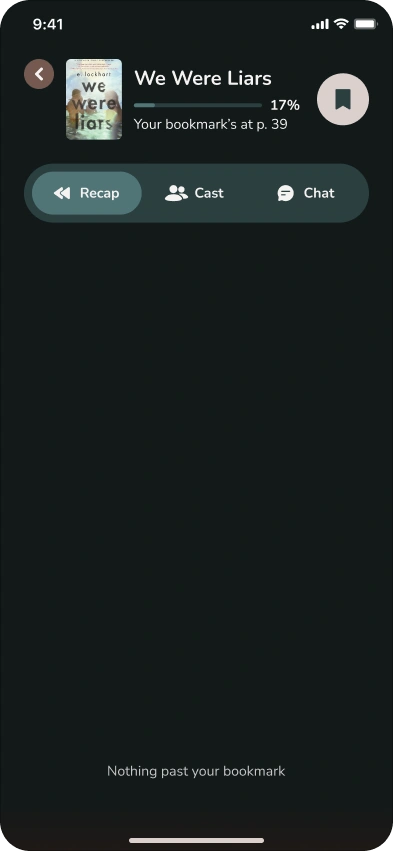
The thread. Highlights capture lines, not who did what to whom and why. For long novels and series, a cast list and a line per chapter do more for memory than a page of highlighted sentences. For supported titles, Magic Bookmark builds a recap and a cast list that stop at your current page, from a photo of the page or the last phrase you heard in an audiobook.10 See how to remember characters.
Should you export your highlights?
Yes, now and then. Highlights stored in one company's app are only as safe as your account and that company's choices. Export a copy to a plain document or notes app a few times a year. If you use Readwise, check that your plan includes export. For more on the Kindle app itself, see the Kindle app review at bestbookapps.com.
How often should you review your highlights?
A short session once a week is enough for most readers. Pick one book, read only your notes or the first few words of each highlight, try to recall the rest, then check. Services that resurface highlights automatically, such as Readwise's daily review, do the scheduling for you; Readwise says it uses spaced repetition to bring highlights back "at the right times".11 A calendar reminder and a notebook do the same job at no cost. For a side-by-side look at tools that collect and review highlights, see commonplace book apps compared.
Should you delete old highlights?
You do not need to, but it can help. When you review a book's highlights and find some that no longer mean anything to you, delete or archive them. A smaller set of highlights you still care about is easier to review, and choosing what to keep is itself a quick test of what you remember.